How can AR support maintenance of mining equipment?
Augmented reality (AR) can support mining equipment maintenance by placing task instructions, component information, or remote-expert annotations within the technician’s view of the machine. Its strongest applications are tasks where technicians lose time locating information, interpreting a complex assembly, or waiting for specialist guidance—not tasks where the physical repair itself is the main constraint.
AR does not diagnose a fault simply because it can display equipment data, and it cannot replace isolation procedures or competent supervision. Its value depends on whether the information shown is accurate for the asset, visible in the working environment, and available at the point when a maintenance decision is made.
Where AR fits into a maintenance job
A mining maintenance task typically involves more than removing and replacing a component. The technician must identify the correct machine and configuration, confirm the fault, access the work area safely, follow the applicable procedure, record findings, and return the asset to service. AR can support several of these activities, but it works best as part of an established workflow rather than as a separate digital experience.
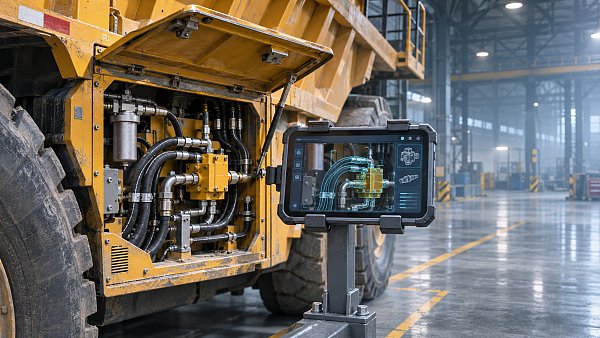
For example, a technician investigating a hydraulic fault on a haul truck could scan an asset identifier and retrieve a configuration-specific schematic. A tablet or headset might show the location of relevant test points alongside the machine, while a remote specialist reviews the technician’s view. The technician still performs the approved diagnostic checks and follows the site’s isolation requirements; the AR system reduces the effort needed to find and communicate the relevant information.
This distinction matters when assessing benefits. A system that displays an attractive three-dimensional model has little operational value if the model does not match the installed hydraulic arrangement or if the technician must leave the work area to retrieve the current procedure.
Guided inspection and repair
Digital work instructions can present a sequence of checks beside the equipment rather than requiring a technician to move repeatedly between the machine and a manual. Depending on the system, guidance may include annotated images, component locations, inspection criteria, torque values, or links to detailed drawings.
For a crusher maintenance task, visual guidance could help identify inspection points and distinguish similar fasteners or assemblies. On a large excavator, it could help a technician navigate between a fault code, a wiring diagram, and the relevant cabinet or connector. In each case, the useful outcome is not the overlay itself: it is a faster or more reliable transition from the observed condition to the correct instruction.
Guidance is most credible when it is tied to the equipment’s actual serial number, installed options, and maintenance history. Mining machines are frequently modified, rebuilt, or fitted with replacement components. A generic model may indicate the approximate location of a part but still show the wrong connection, fastener, or access sequence. The system should make the source and revision of each instruction visible and provide a clear route back to the controlled maintenance document.
Step-by-step presentation also needs careful design. Breaking a procedure into screens can make it easier to follow, but it can hide prerequisites or warnings if the technician sees only the current step. Critical conditions—such as stored energy, suspended loads, pressure release, or required testing—must remain prominent in the approved procedure rather than being dependent on a visual overlay.
Remote assistance when expertise is not on site
AR-assisted remote support allows an off-site specialist to see a live camera view and communicate with the person at the equipment. Some systems let the specialist annotate the video or place a visual marker near the component being discussed. This can reduce ambiguity when describing a connector, leak location, damaged surface, or instrument reading.
The benefit is clearest when the specialist’s knowledge is needed to interpret a condition or select the next diagnostic check. It is less compelling when the delay is caused by waiting for parts, access equipment, permits, or an available maintenance window. A video call cannot remove those constraints.
Connectivity determines how much support is available in practice. An open-pit workshop may have coverage that does not extend to a field breakdown; underground headings may have local network coverage only in selected areas. Video quality also depends on lighting, camera movement, dust, bandwidth, and latency. Evaluations should test whether the remote expert can actually distinguish the relevant condition, not merely whether a call connects.
Where live video is unreliable, the workflow may need to fall back to voice, still images, or recorded observations sent when a connection becomes available. The maintenance process should specify what happens when the connection drops during a decision: the technician must not be left relying on an incomplete instruction or an annotation that has disappeared.
Equipment data in context
AR can display information from maintenance systems, equipment controllers, or monitoring platforms alongside a physical asset. A technician looking at a pump or conveyor drive, for example, might retrieve the asset identifier, recent alarms, inspection history, or the status of an open work order without searching through several separate interfaces.
Context can shorten the path from an alarm to the relevant component, but it introduces a risk: a value shown beside a machine can look more authoritative or current than it is. The display should distinguish live readings from historical records, show timestamps and units, and identify the source system. If data is delayed or unavailable, the interface should make that condition obvious.
Asset identification is equally important. A tag, code, or other identifier can link the physical machine to its digital record, but the process needs controls for damaged labels, duplicate records, and component swaps. If a sensor or component has been replaced without updating the asset hierarchy, an apparently precise display can direct attention to the wrong history.
AR should therefore be treated as a presentation layer, not as proof that underlying data is correct. Integration with a computerized maintenance management system (CMMS) or equipment data platform is useful only when ownership, update frequency, access rights, and asset relationships are defined.
Why the physical environment determines the interface
Head-mounted displays offer hands-free access, but hands-free does not automatically mean safer or easier. The device must fit with site-required protective equipment, remain comfortable during the task, and leave the technician able to see hazards, warning indicators, and co-workers. Voice control may be difficult around operating machinery; gesture controls may be unreliable with gloves or in confined positions.
A rugged tablet can be easier to deploy and share, and it may provide a larger view of drawings. Its limitation is that it occupies a hand or must be placed somewhere safe. A fixed screen near a work area may be more practical for some workshop jobs, even if it does not provide a persistent overlay on the machine. The appropriate device follows the task, not the other way around.
Environmental checks should cover dust, moisture, vibration, temperature, lighting changes, battery endurance, cleanability, and durability under the site’s operating conditions. Where equipment will be used in a potentially explosive atmosphere, suitability must be established for the specific device, location, and applicable site requirements; a general ruggedness claim is not sufficient.
Visual alignment deserves separate testing. Some AR systems use cameras and spatial tracking to anchor information to an object. Reflective metal, poor light, repetitive structures, moving equipment, or obstructed views can make an overlay drift or attach to the wrong surface. Alignment should be verified at the actual working distance and viewing angle, especially when an overlay identifies a small component among similar parts.
Controlling the maintenance information
The effort required to prepare and maintain content can be greater than the effort to install the application. A useful deployment needs a defined source for each procedure, responsibility for approving changes, and a method for withdrawing superseded content from devices.
Offline access is valuable where network coverage is intermittent, but cached content creates a version-control problem. Devices need a clear indication of when content was last synchronized and whether the procedure remains valid for use. If a safety-critical instruction is revised, the organization must decide how devices are updated and what work can proceed before synchronization.
Three-dimensional content is not always necessary. A well-labelled photograph or current two-dimensional diagram may answer a technician’s question faster than a detailed model and be easier to keep aligned with equipment modifications. More elaborate spatial guidance is justified when it resolves a genuine identification or access problem that simpler material cannot.
Access control also matters. A remote session may expose equipment layouts, operational data, or people in the work area. Authentication, permissions, recording settings, retention rules, and supplier access should be assessed alongside the site’s existing cybersecurity and privacy controls.
Testing whether AR improves the job
A meaningful trial starts with a defined task and a measurable problem. Suitable candidates include a recurrent inspection with difficult-to-locate points, a repair that requires frequent reference to complex documentation, or a fault that regularly needs remote specialist interpretation. The selected task should occur often enough to generate useful observations without introducing unnecessary safety risk.
Establish a baseline using the existing method, then compare it with the AR-supported workflow under reasonably similar conditions. Record the equipment configuration, technician familiarity, fault complexity, parts availability, and network conditions: differences in any of these can explain an apparent improvement or decline.
Useful measures include time spent finding instructions, time to reach a supported diagnostic decision, elapsed time waiting for specialist input, completion of required checks, and the number of interruptions caused by device or connection failures. For repairs, measure rework or repeat faults over an appropriate follow-up period rather than assuming that a shorter job was a better job.
Downtime is important, but it is a broad outcome. If a machine remains unavailable because a component has not arrived, AR may have improved diagnosis without changing total downtime. Conversely, a faster return to service should not be attributed to AR without considering changes in staffing, fault severity, or parts logistics.
Feedback from people performing the work should be recorded with the quantitative measures. An interface that reduces document-search time but obstructs vision, requires repeated logins, or makes gloves difficult to use may not be suitable for routine deployment. Test the fallback process as well: the task must remain safe and executable when the device, content, or network is unavailable.
The strongest case for AR is a repeatable maintenance problem where visual context or timely expertise changes the quality or speed of a decision. Where controlled documents, asset data, connectivity, or physical access are unreliable, correcting those foundations may deliver more value than adding an overlay.
Recommended News
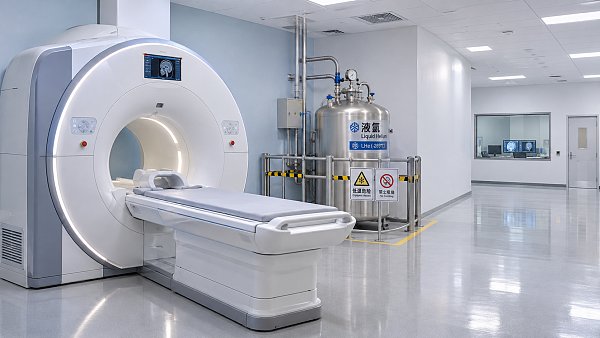
 Nov 12, 2026Can a helium shortage disrupt MRI scans?Discover the impact of helium shortage on MRI services, from potential scan delays to rising costs, and learn how hospitals can prepare.
 Nov 10, 2026How can AR support maintenance of mining equipment?Discover how AR supports mining equipment maintenance with guided inspections, remote expertise, and asset data—plus practical tips for a successful rollout.
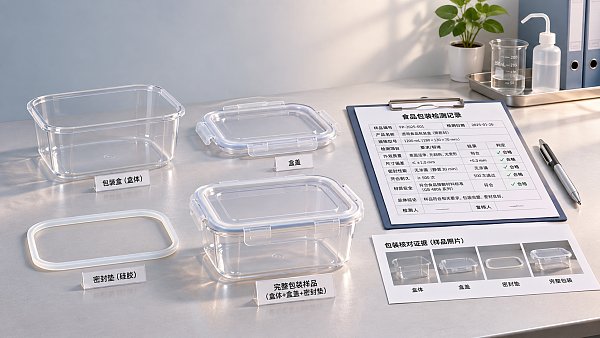
 Nov 09, 2026How to verify that packaging is food gradeFood grade packaging verification starts with the right evidence. Learn how to check supplier declarations, migration tests and market requirements before you buy.
 Nov 06, 2026How to choose tech accessories for remote workChoose tech accessories that make remote work more comfortable and productive. Explore practical tips on headsets, monitors, docks, connectivity, and security.